Requirements for publishing Nigerian loan apps on Google Play Store
Back
FAQs
Requirements for publishing Nigerian loan apps on Google Play Store
Last updated July 2, 2026
Eseose Animhiaga
In this post
Share
There are many reasons a digital lender must have a loan app, one of which is scaling to have many customers. The big question is: where is the best place to launch your loan app successfully and get the most customers?
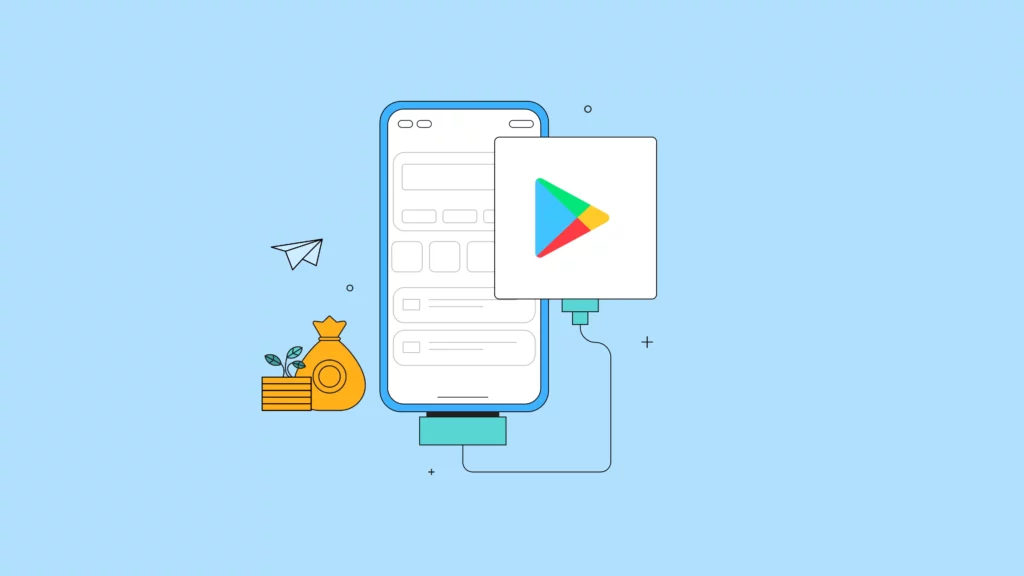
While there are many options, only two stores compete head to head, the Apple App Store and the Google Play Store. For the purpose of this article, we’ll explore the intricacies of the Google Play Store.
Now, getting into the Play Store as a lender used to be a walk in the park. However, because of lenders’ bad behavior and unethical actions, the Federal Competition and Consumer Protection Commission (FCCPC) had to intervene and enlist Google Play Store’s help in making the process more rigorous and stringent.
Documentary and regulatory requirements for Google Play Store
Developer account: Before anything else, decide whether you need a personal or a company account. A company account is the obvious choice for a digital lending company like yours. Creating one involves meeting some basic requirements:
However, if you’re not a money lender and are licensed by the FCCPC, then all you need to set up your company developer account on the Google Play Store are:
CAC company registration
Central Bank of Nigeria (CBN) license
Requirements for Google Play Store loan app listing
Certain essential things must be done before listing your loan app for download. If done properly, these requirements will ensure your loan app’s successful listing and accessibility to users.
App name
This is the title of your app as it appears in search results and on the app’s details page. After downloading the app, it may differ from the name displayed on users’ home screens.
Your title can contain up to 30 characters. Incorporating relevant keywords that users are likely to search for within the title is advisable. For instance, consider using “Urgentmoni — Quick and easy loan” instead of just “Urgentmoni”.
Short description
Summarize your loan app’s features clearly and concisely. Select keywords that accurately reflect your app’s functionalities, especially lending-related ones. Ensure the description stays within 80 characters for maximum effect.
Full description
Compose a comprehensive description for your app to be featured on the complete Play Store listing page.
You have up to 4000 characters at your disposal, so take advantage of this space to provide potential users with a thorough overview of your app’s features and functionalities. Ensure that your description adheres to Google’s guidelines to maintain compliance.
Your app’s icon should be a transparent 512 x 512px 32-bit PNG image. Note that this icon may differ from what users see on home screens.
Featured graphic
Ensure your featured graphic is a 1024 x 500px JPG or 24-bit PNG image (without alpha). This graphic will be showcased at the top of your app store listing. If you’ve included a promotional video, a play button may appear in the center of the banner (omit this button from the graphic itself).
Promotional YouTube video
Add a YouTube link featuring a promo video for your loan app. This video will be the first screenshot on the Play Store website and can be played on Android Phones with a play button over the featured graphic.
Before uploading the app, set the video as unlisted on YouTube so only those with the link can view it. You can make it public whenever you’re ready.
Phone screenshots
Add 2 to 8 screenshots for each supported device type (phone, tablet, Android Wear, and Android TV). Screenshots should be in JPEG or 24-bit PNG format, with a minimum length of 320px and a maximum length of 3840px on any side. Avoid including the system bar at the bottom of the device, but include the status bar.
This determines the category under which your app will appear on the Play Store. Given that you’re uploading a loan app make sure to categorize it under “Finance” when listing your app.
Contact details
Here’s what you can include as contact details when listing your loan app on the Play Store: Website address for the app (optional), required email address and an optional contact phone number
Privacy policy URL
If your loan app collects personal information or spools data from users’ devices, you must clearly state in your privacy policy and ensure compliance. You must also submit an attestation of the type of app you are launching.
Pricing – Interest rates and fees
For digital lending apps, Google does not permit more than 3% per month in terms of interest rate. So, you need to figure out if that amount is one you can succeed at.
But with the prime lending rate in Nigeria being 24.75%, there’s a possibility you may not be able to succeed at that rate. Lenders often add additional fees to go with the capped interest rate to supplement and balance out profitability. Learn more about interest rates.
Ready, set, go-live
Now that you’ve thoroughly understood the requirements for publishing your loan app on the Google Play Store, it’s time to take action.
Follow the outlined steps above diligently to guarantee a smooth launch of your app and its accessibility to borrowers.
Obtaining an FCA consumer credit license is a key step for businesses that want to offer loans, credit cards, BNPL, or other consumer credit products in the UK. This guide explains who needs FCA authorization, the application process, eligibility requirements, expected costs, and practical tips to help lenders navigate the licensing process successfully.
If you’re a non-profit or development finance institution (DFI), it should be easier to run a lending program if you're already doing the hard part of reaching people most others won’t.
The end-to-end loan management software that’s rewriting the rules for lenders globally by offering enterprise-grade features without the enterprise-grade costs.
September 30, 2024
Make Better Informed Decisions
Our decision model Oraculi helps you handle all modules required to form the decision model for your lending business, convenient and
easy.