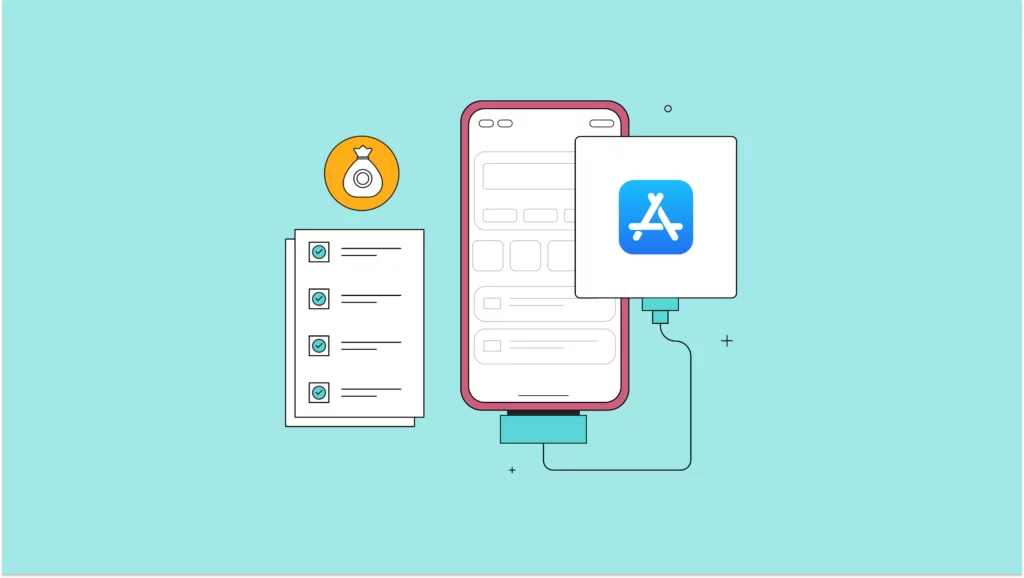
There are several good reasons for a digital lender to have a loan app, with one of the key ones being the ability to scale and attract a large customer base. So, the big question is: where’s the best place to launch your loan app to reach the most users? Although various options are available, the main competition is between the Apple App Store and the Google Play Store. Today, however, we’ll take a closer look at the ins and outs of the Apple App Store.
Featured read: Requirements for publishing Nigerian loan apps on Google Play Store
While Google’s Android led the mobile operating system market in Africa with an 84.9 percent share in November 2023, Apple’s iOS is its only significant competitor, holding a 13.3 percent share. Therefore, it’s sensible for any smart lender to take advantage of both app stores. After all, you can never have too many people paying attention to your lending services. As they say, the more, the merrier.
Previously, getting approved as a lender in the App Store was straightforward. However, due to the unethical conduct of some lenders, the Federal Competition and Consumer Protection Commission (FCCPC) had to intervene, making the approval process much more rigorous.
Documentary and regulatory requirements for Apple App Store
First, you must sign up for the Apple Developer Program after creating a functional and brilliant loan app. Here’s how Lendsqr APIs can power your loan app. You must also decide whether you need a personal or a company account. A company account is the obvious choice for a digital lending company like yours. Creating one involves meeting some basic requirements:
Requirements for Apple App Store loan app listing
There are key steps you need to take before your loan app can be listed for download. If you follow these steps correctly, your app will be successfully listed and easily accessible to prospective users.
App name
This is the name of your app that pops up in search results and on the app’s details page. Once users download it, the name on their home screens might change. You’ve got up to 50 characters for your title, so make them count by including keywords people are likely to search for. For instance, go with “Quickmoni — Swift and easy loan” instead of “Quickmoni”.
Short description
Describe what your app does in a way that’s clear and engaging. Pick out the best keywords that capture what your app is all about, and think about what users would type in when looking for an app like yours. Use those keywords in your description; remember, you have up to 4000 characters to convey your message.
Keywords
List some key phrases that describe your app, separated by commas. Think about what your users might search for. Keep it under 100 characters.
Category
This affects where your app appears in the App Store’s categories. Each category has its list of Top Apps. You must select a primary category and can optionally add a secondary one. It’s all about finding the right fit for your app. For a loan app, its primary category would be “Finance”.
Pricing
Pricing is organised into various tiers:
- Tier 0: Free
- Tier 1: $0.99
- Tier 2: $1.99
- Tier 3: $2.99
- Tier 4: $3.99
- Tier 5: $4.99 etc.
These prices will automatically be converted into each country’s local currency (NGN) and may be adjusted by Apple occasionally.
High-resolution icon
You’ll also need an image of your app icon saved as a PNG file. The dimensions should be 1024 by 1024 pixels, with at least 72 DPI, and make sure it’s in the RGB color space. It’d be great if it looked similar to your current app icon.
Screenshots
For each device your app supports, you need at least one screenshot. You can use the larger iPhone’s screenshots for the smaller ones to make it easier. So, focus on creating and uploading images for the 5.5-inch iPhone (like the iPhone 7 Plus), and the rest will work fine. Make sure each image is either PNG or JPEG, with a resolution of 72 DPI in RGB color and without any transparency. You can have a maximum of five screenshots for each device type:
- iPhone 3.5 inch: 640 by 960 pixels
- iPhone 4 inch: 640 by 1136 pixels
- iPhone 4.7-inch: 750 by 1334 pixels
- iPhone 5.5-inch: 1242 by 2208 pixels
- iPad: 2048 by 1536 pixels
App preview video
It’s a brief video showcased on the App Store that gives users a glimpse of your loan app’s features, how it works, and its interface. These previews, ranging from 15 to 30 seconds, serve as the primary visual representation of your app on its store page, preceding any screenshots. For specific guidelines regarding the content of these previews and technical specifications, such as resolution and codec, refer to Apple’s official guidelines and technical documentation.
App review contact details
You must also include your name, postal address, phone number, and email address so Apple can contact you if any issues occur while reviewing your application. This information will remain private and will not be visible to your users.
Availability
When submitting your application, you can make it publicly accessible immediately after approval by the Apple review team or set a specific release date. By default, your application will be available in all countries unless you decide otherwise. We advise against limiting your app’s availability to certain countries.
Marketing and Support URL
Add a website link containing information about your application, preferably directed to a dedicated page on your site for the application, and another website link for users to reach out for support.
Privacy policy
Add a web address where users can access your privacy policy.
End User License Agreement (EULA)
You can supply your own EULA or use the default one from Apple.
Copyright information
Add a line showing who owns the copyright of the application, such as 2024 Quickmoni Ltd.
Ready, set, go-live
Now that you’ve got a handle on getting your loan app on the Apple App Store, it’s time to get moving. Just follow the steps outlined above carefully to ensure your app launches smoothly and is easy for borrowers to find. Once everything’s set, it’s time to go live and connect with Nigeria’s credit access market. Ready, set, let’s go live! Need a hand to get started? Send us a message at [email protected].
You need the right technology for lending success
We’re in the business of helping lenders worldwide have access to the best technology, and use credit to lift billions to their dreams and a better life.