How to use Freshchat with Lendsqr for your in-app chat experience
Back
How to
How to use Freshchat with Lendsqr for your in-app chat experience
Last updated May 31, 2026
Dara
In this post
Share
Elegance and customer experience are some of those factors that can make lenders successful. Customers always have questions about loans because everyone worries about money, no matter how simple we want to make them to be.
Loans are not simply things you buy and walk away from. It’s something borrowers and lenders have to commit to, as there are financial and legal implications involved and money to be repaid. That’s why it’s essential to have a tool in your loan product that allows you to engage with your customers immediately.
Live in-app chats currently have the highest satisfaction rates for any customer service channel, as a staggering 46% of customers prefer live chat compared to just 29% for email, and 16% for social media.
Lendsqr recognizes the need to engage customers and supports this on its mobile app and website. That is why Lendsqr is specially integrated with Freshchat – one of the best globally recognized chat and CRM software in the world. We have also partnered with Freshchat to provide credit for our long-standing startup lenders.
So, let us walk through how to use Freshchat with Lendsqr to power your in-app chat experience step by step.
How to configure Freshchat with Lendsqr
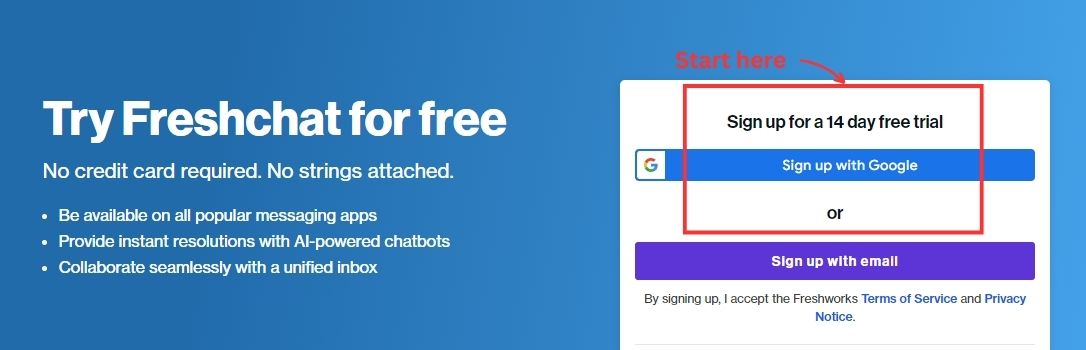
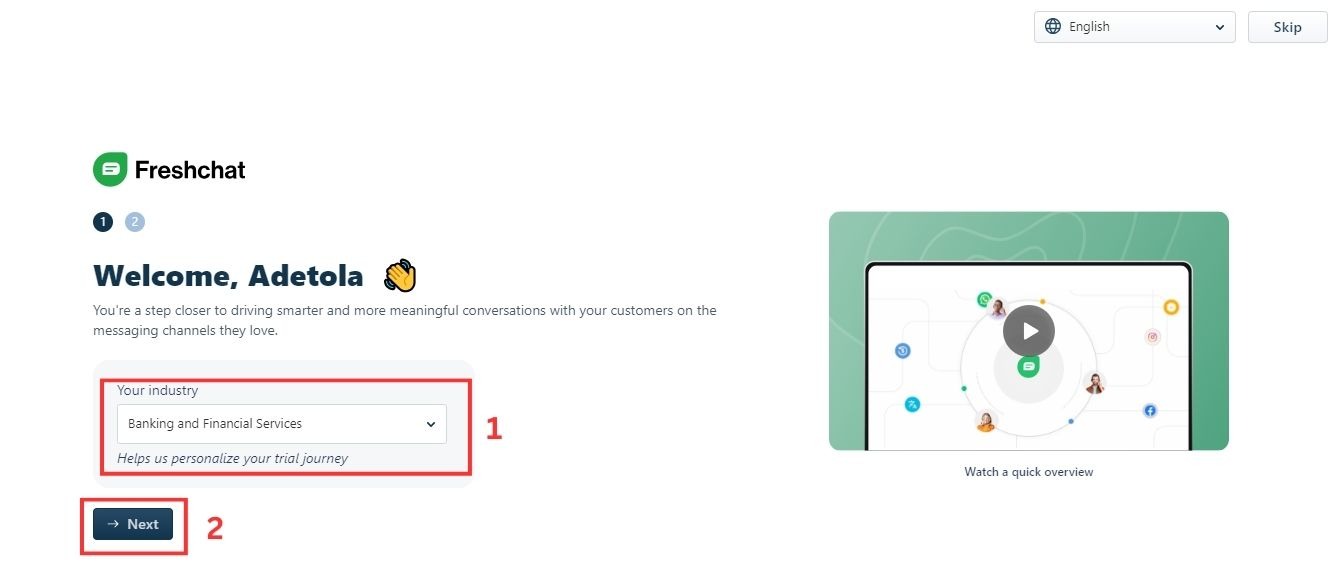
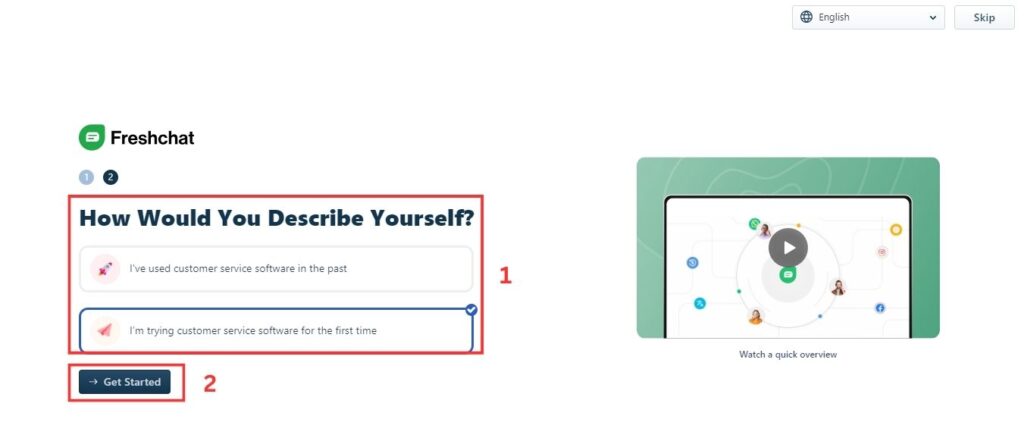
Firstly, you have to sign up on Lendsqr for free. However larger lenders may require a subscription to access more features.
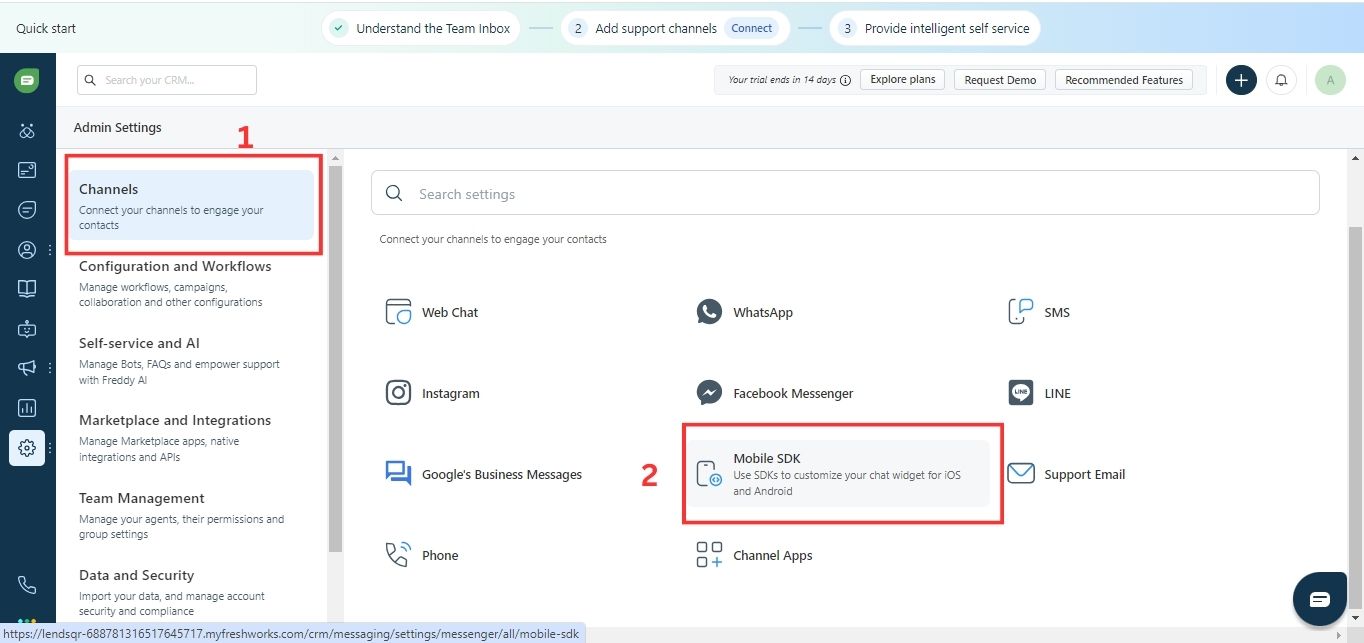
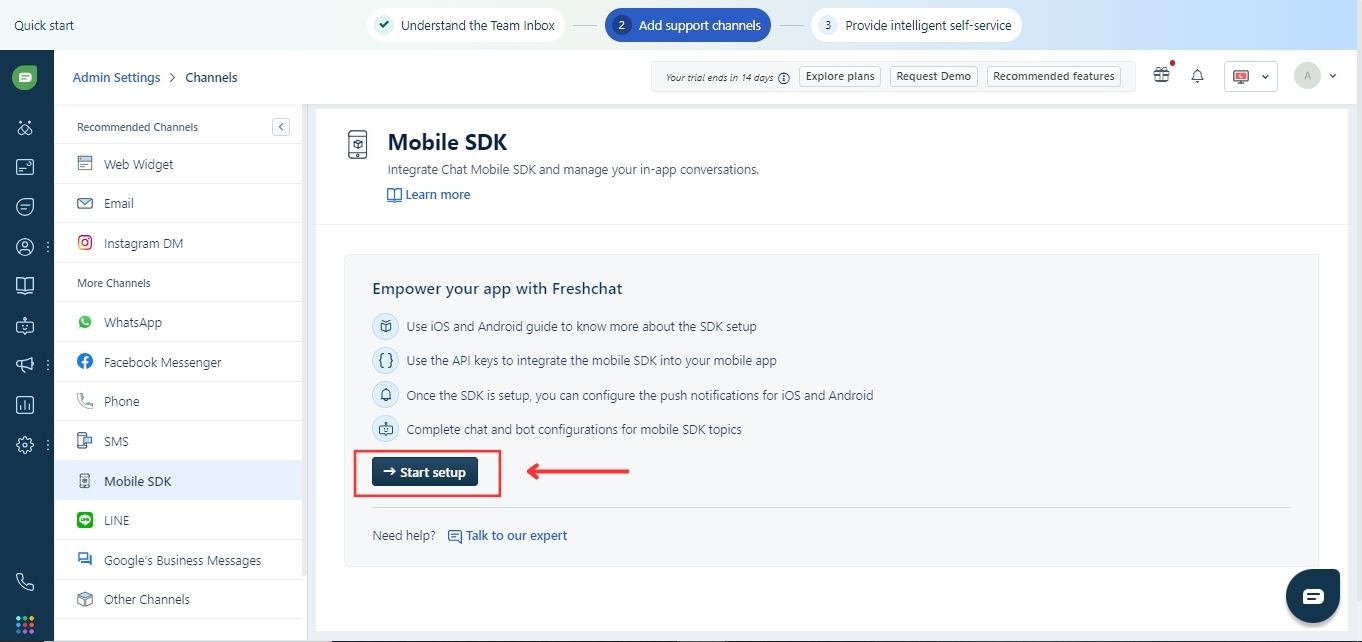
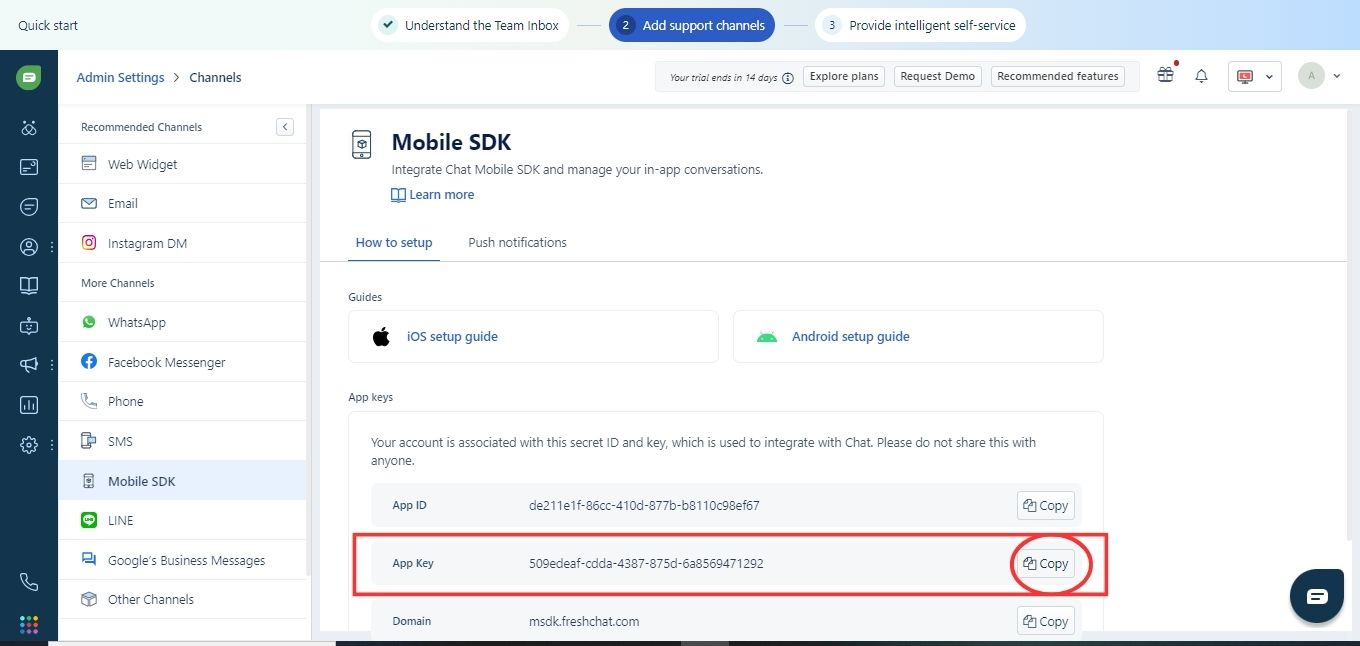
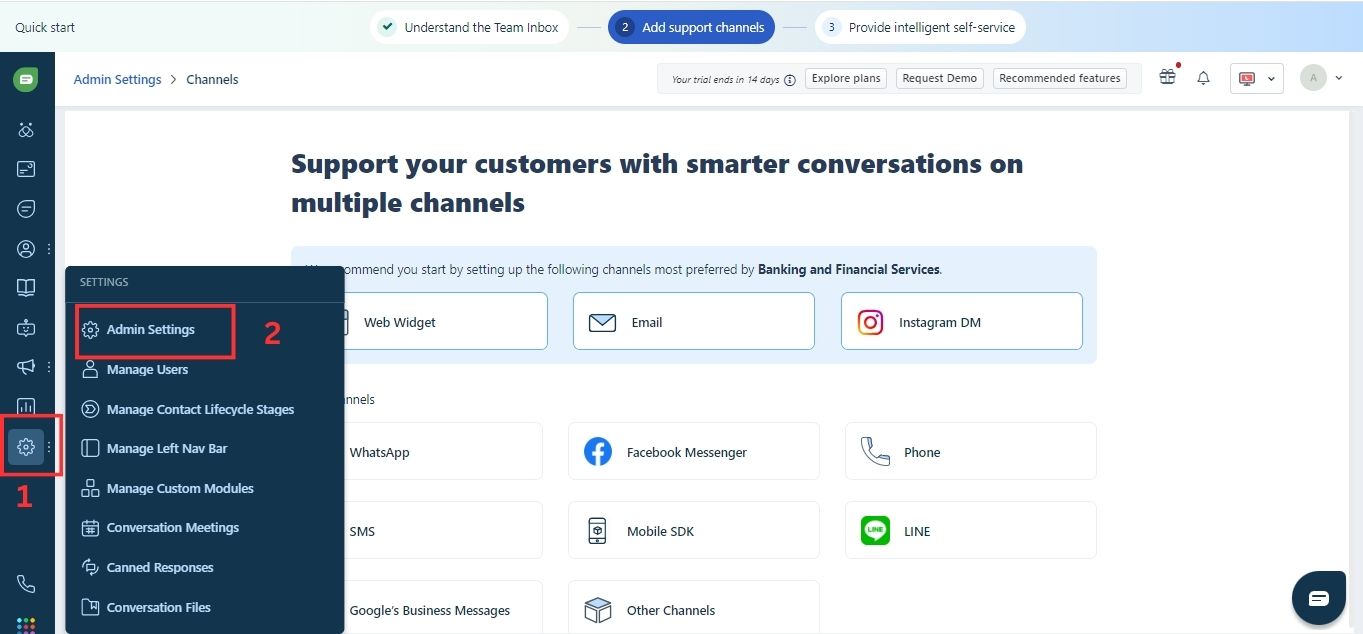
8. Head back to Lendsqr, paste your integration key in your settings and you are all set! Your customers can now chat with you automatically using Freshchat.
Benefits of Freshchat and Lendsqr power duo
Improve your customer experience and make them happier: No one likes to wait on hold. With Freschchat and Lendsqr to support your loan business, you can remedy that and make your customers happier by resolving their queries within minutes, and easily on the platform. This way, they don’t have to switch to another channel to get answers and you don’t have to lose customers.
Automate mundane repetitive tasks: You can program your most commonly asked questions into the platform with answers and have a bot automatically respond to customers with these issues.
Deliver great customer service: With Freshchat, you can assess and improve the quality of your customer management service with customer satisfaction surveys and questions. Read all about how Freshchat works to the advantage of your loan business here.
Don’t forget staffing
You might be all set up, but the chats require live support so you also need to ensure people are behind the wheel to solve complex and unique questions that bots cannot provide answers to.
Now for small-scale lenders who don’t have the staff to man those chats, you can configure your timing to show your business working hours, and let customers trying to reach you know you are not available.
To turn on your default or universal Business Hours, follow these steps:
1. Login to Freshchat as an admin.
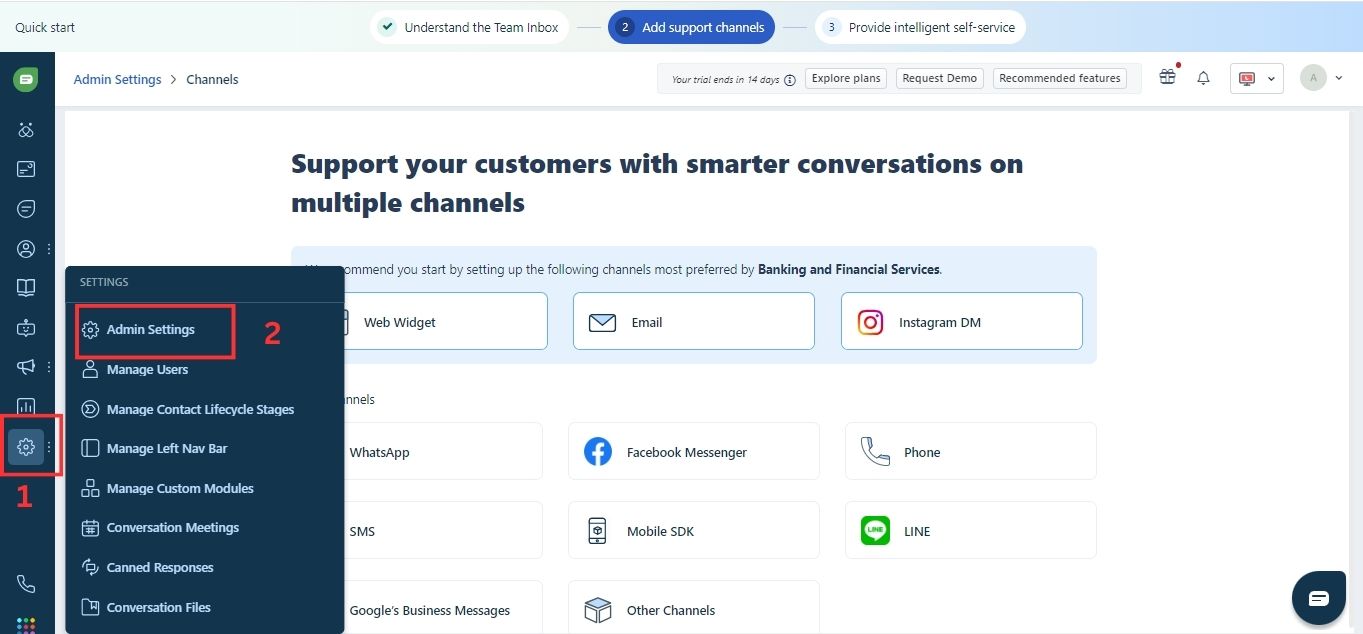
2. Click on “Settings”, then click “AdminSettings”.
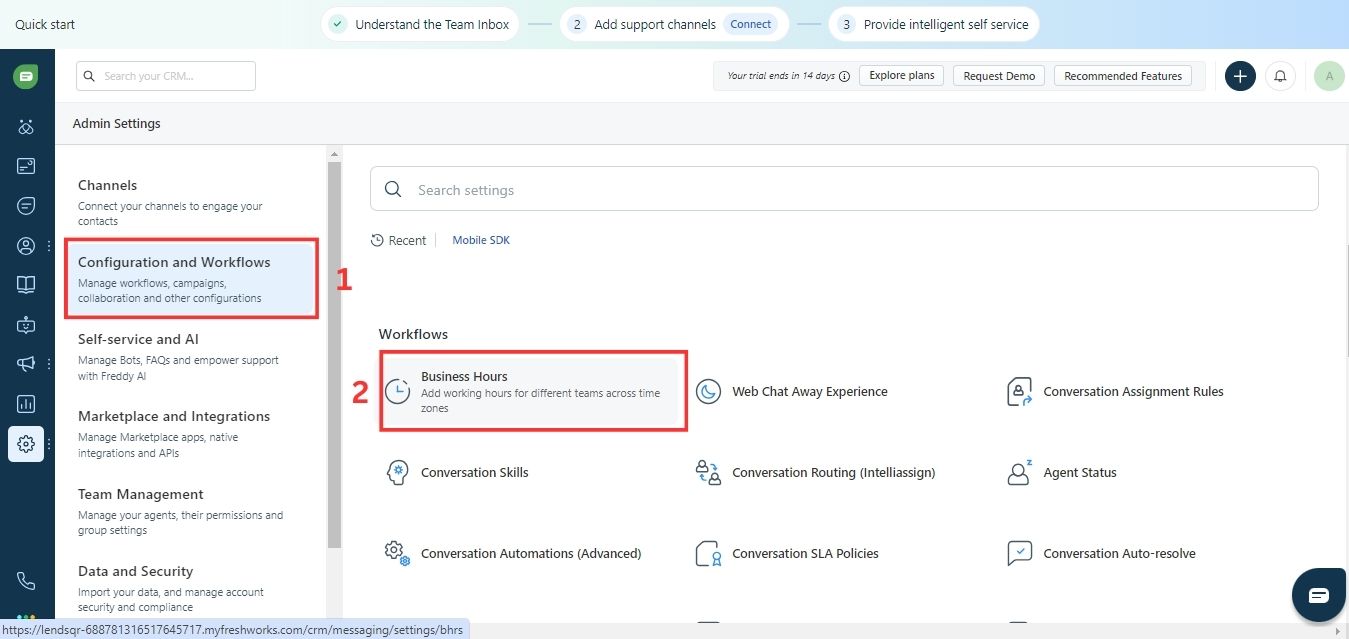
3. Click “Configurationand Workflows” and then click “BusinessHours”.
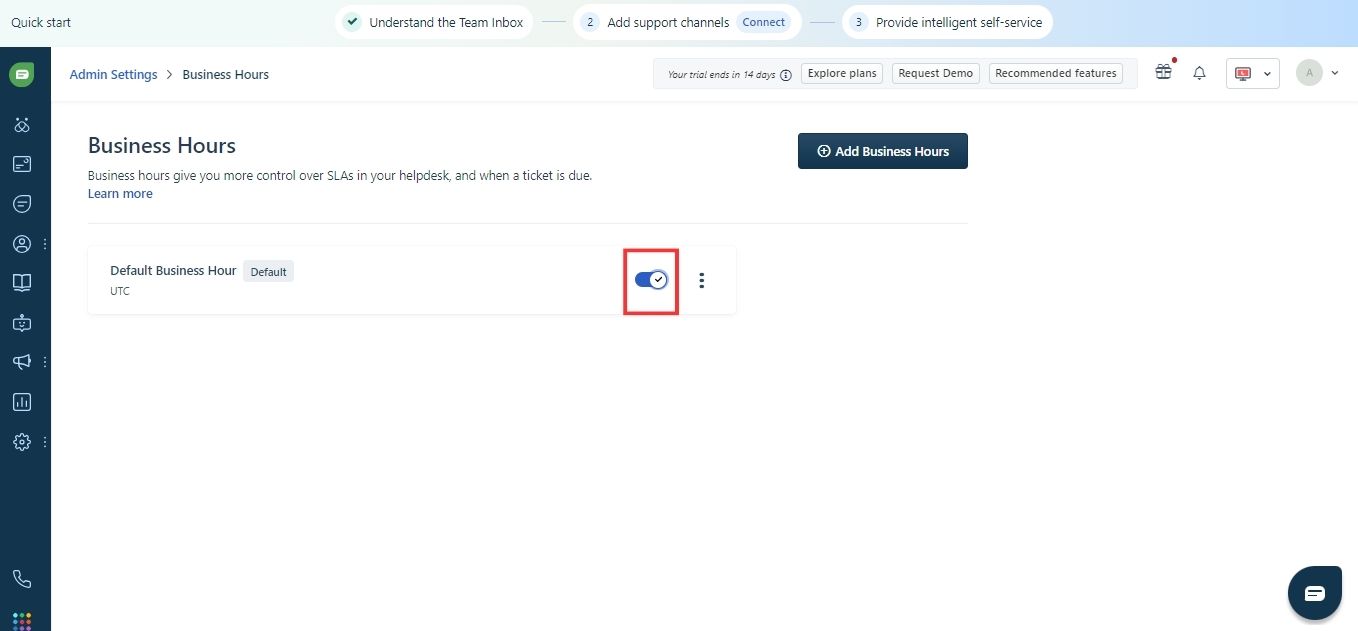
4. Toggle the “DefaultBusiness Hour” switch to ‘On’.
The default Business Hours will be applied to your Freshchat account. If you want to edit your default Business Hours, follow these steps:
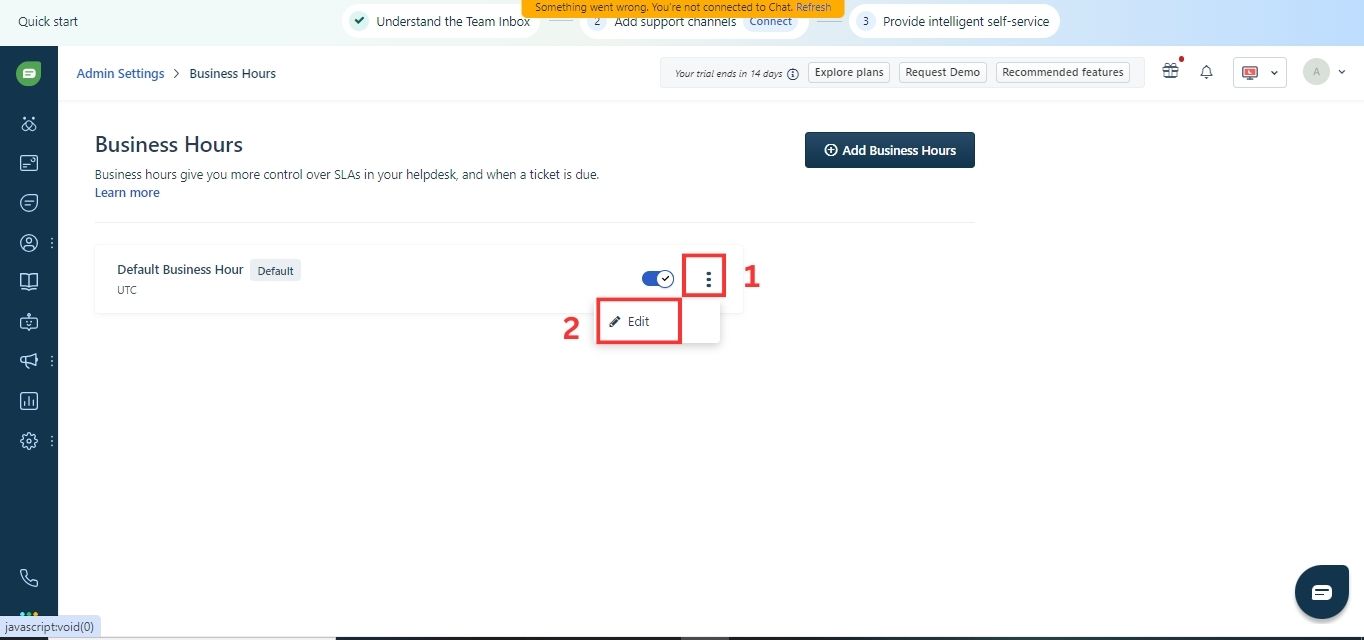
1. Click on the three dots next to the enable button to open the business hours settings.
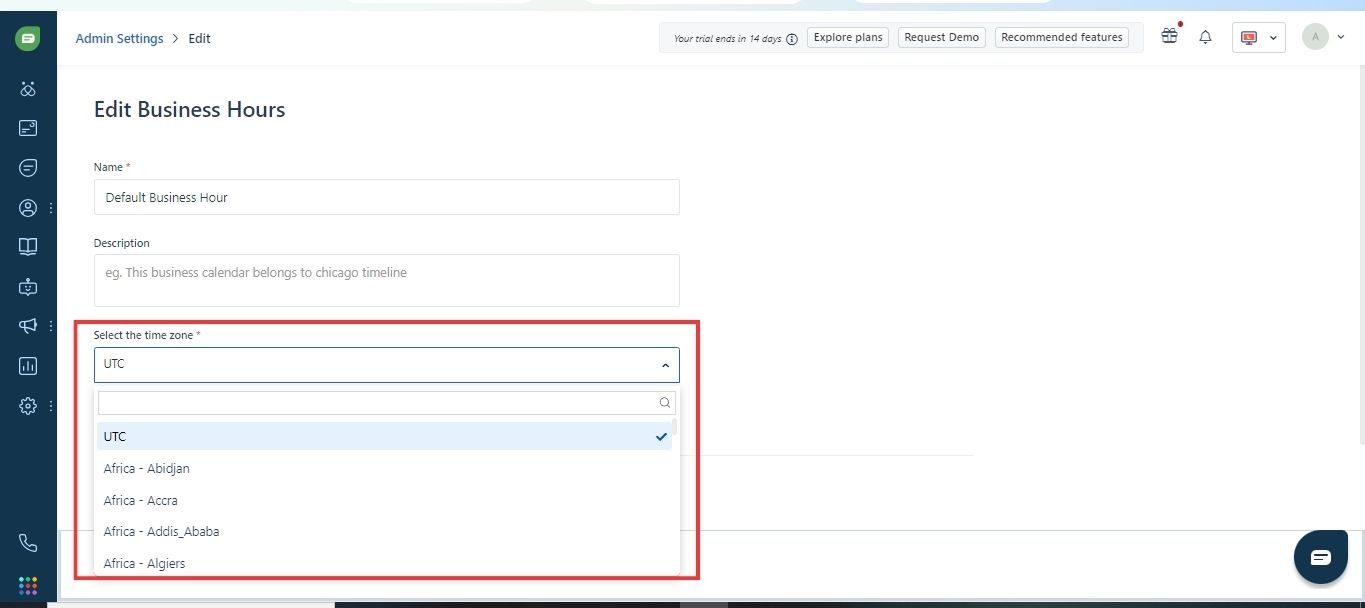
2. Change the time zone to the one your business operates in.
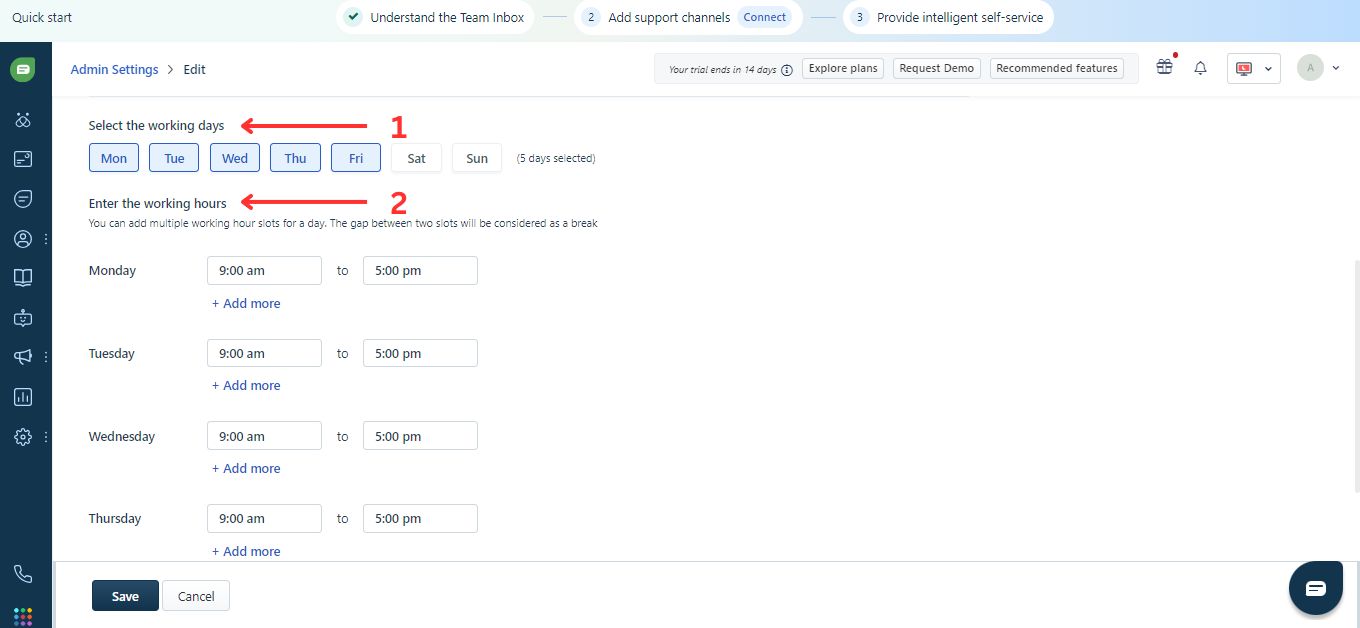
3. Choose the days of the week and the hours during the day that your team will be available to engage with your customers. You can also add multiple working slots for a day and the gaps between the two slots will be considered as your team being outside your business hours.
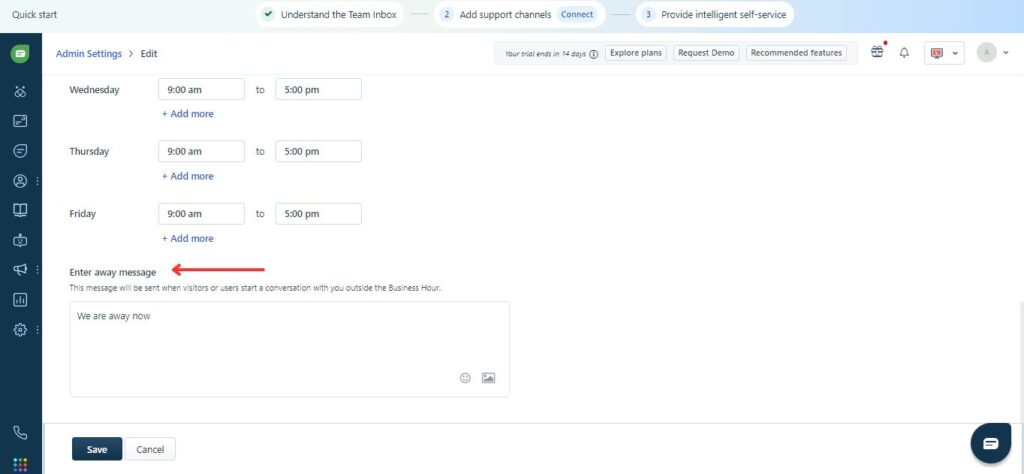
4. Enter the Away Message which will be sent to customers if they reach out to you outside your business hours.
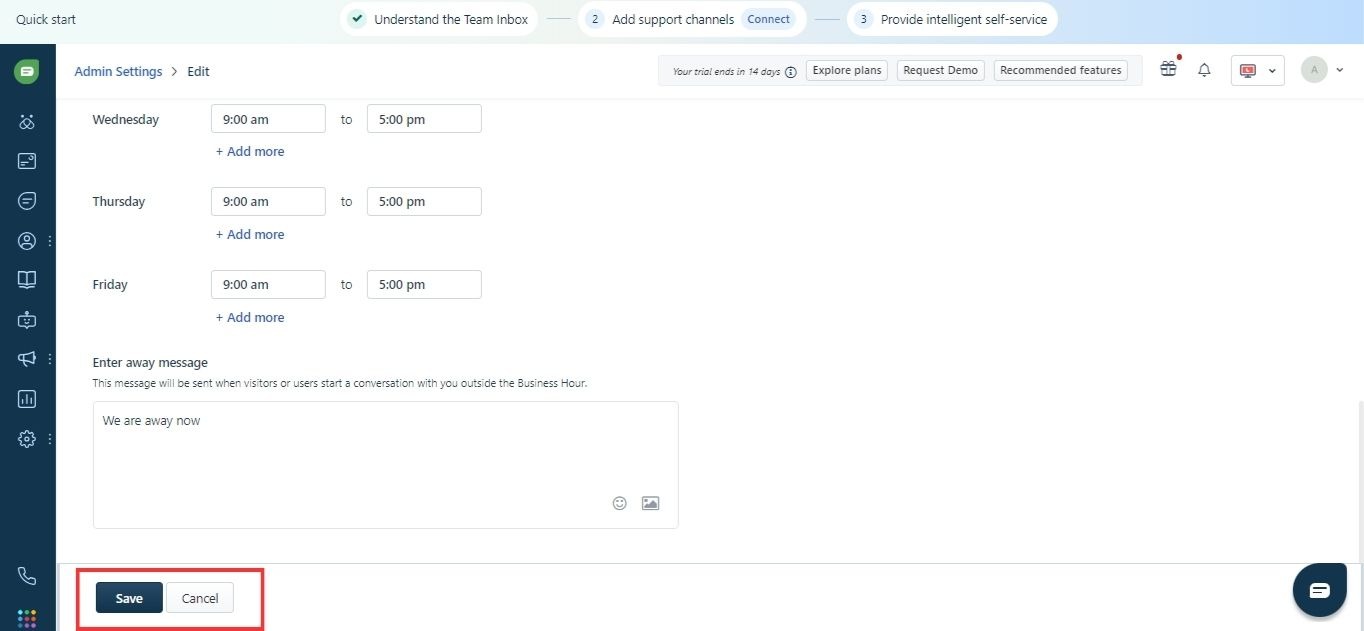
5. Click “Save”.
Make borrowing easier for your customers
As we established, loans can be complex for your customers to navigate alone. But with you as their constant and easily accessible guide, they don’t have to go through it alone.
We also understand it can be quite demanding being available 24/7 to answer repetitive questions and resolving complaints. That is why Freshchat and Lendsqr have teamed up to provide a simple communication system you can easily manage and your customers can easily access.
Increase customer satisfaction, inspire loyalty, and ultimately increase loan applications. When you are ready to explore this further, simply send us a message at [email protected].
Obtaining an FCA consumer credit license is a key step for businesses that want to offer loans, credit cards, BNPL, or other consumer credit products in the UK. This guide explains who needs FCA authorization, the application process, eligibility requirements, expected costs, and practical tips to help lenders navigate the licensing process successfully.
If you’re a non-profit or development finance institution (DFI), it should be easier to run a lending program if you're already doing the hard part of reaching people most others won’t.
The end-to-end loan management software that’s rewriting the rules for lenders globally by offering enterprise-grade features without the enterprise-grade costs.
September 30, 2024
Make Better Informed Decisions
Our decision model Oraculi helps you handle all modules required to form the decision model for your lending business, convenient and
easy.