How to use Infobip with Lendsqr as an SMS provider
Back
How to
How to use Infobip with Lendsqr as an SMS provider
Last updated May 26, 2026
Dara
In this post
Share
SMS is a great way for lenders to stay connected and nurture healthy relationships with their extensive customer base. However, if you’re a lender that relies on Lendsqr’s built-in SMS functionality, then your customers will receive messages with Lendsqr’s branding instead of your own.
As helpful as this is, it may not be what you want as you start scaling, especially when you’re trying to build brand recognition and establish trust with your customers.
After all, wouldn’t you want your customers to instantly recognize who’s contacting them, especially when it comes to important financial communications?
This is where Infobip shines. The good news is that Lendsqr offers seamless integration with Infobip. This means you can enjoy the best of both worlds: Lendsqr’s powerful loan management software combined with Infobip’s superior SMS infrastructure.
We’ll show you how to use Infobip with Lendsqr. But first, let’s toot Infobip’s horn a little more so you understand the advantages it brings to the table.
Infobip is one of the best SMS providers globally.
As a global leader in SMS delivery, Infobip offers the level of customization that most other SMS providers cannot match, and enterprise-grade performance that aligns perfectly with the needs of financial institutions.
What does Infobip do? Infobip allows you to:
Control your brand with customized sender ID
Use Infobip to send your SMS messages. When this is configured, then SMS messages that are sent from your Lendsqr platform to your customers will always carry your institution’s name rather than Lendsqr’s generic branding. This keeps your communications consistent with your identity and continues to build trust with every message.
Ensure reliable SMS delivery
Infobip’s robust infrastructure guarantees high message deliverability rates, crucial for time-sensitive communications such as loan repayment reminders or fraud alerts. You can rest assured your messages will reach your customers in time to minimize missed deadlines and security vulnerabilities.
Send 200,000 messages per day without sweating
As we briefly highlighted earlier, Infobip’s infrastructure is built to handle massive volumes of SMS traffic, perfect for large lenders. This means your SMS communication remains uninterrupted and efficient, even during high periods of high activity such as promotional loan campaigns or loan disbursement cycles.
Use number lookup feature to protect against fraud
Integrating Infobip’s Number Lookup service directly into your Lendsqr onboarding process adds a powerful layer of protection against fraud. Number Lookup helps you instantly identify invalid or suspicious phone numbers, work with real customers using genuine numbers, and reduce potential losses.
Expand your reach with RCS
Infobip lets you go beyond traditional SMS to broaden how you connect with customers. With its Whatsapp option, you can reach customers who prefer this channel especially in international markets where it is popular.
Alternatively, lenders have access to Infobip’s Rich Communication Services (RCS), a next generation messaging format that offers interactive features like images, videos, and carousels – all within your text messaging channel.
Here’s how to set up your Infobip account:
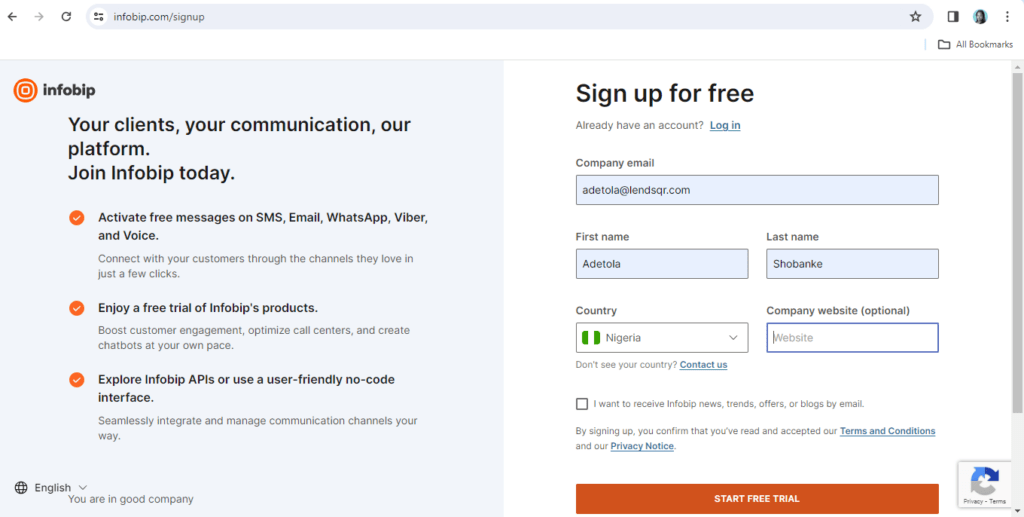
Step 1
Go to www.infobip.com/signup to create an account and start a free trial. Fill the fields with your information and click the “START FREE TRIAL” button.
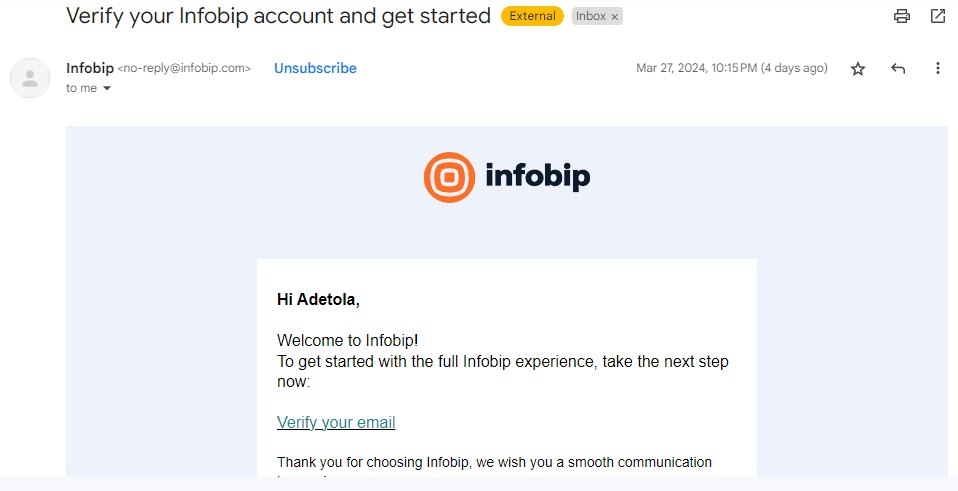
Step 2
Verify your email via a link sent your inbox
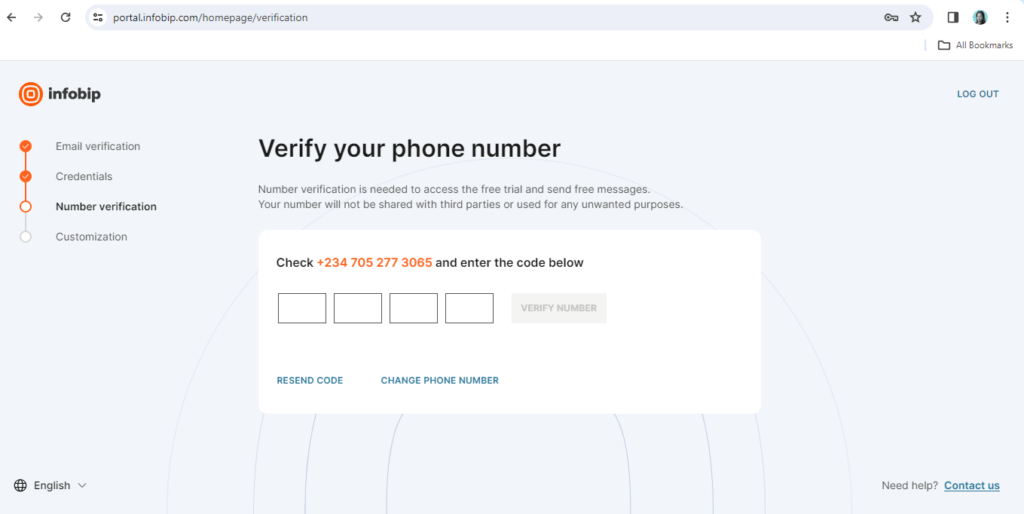
Step 3
Choose your credentials (username and password) for accessing Infobip on their portal. Then, verify your phone number
Step 4
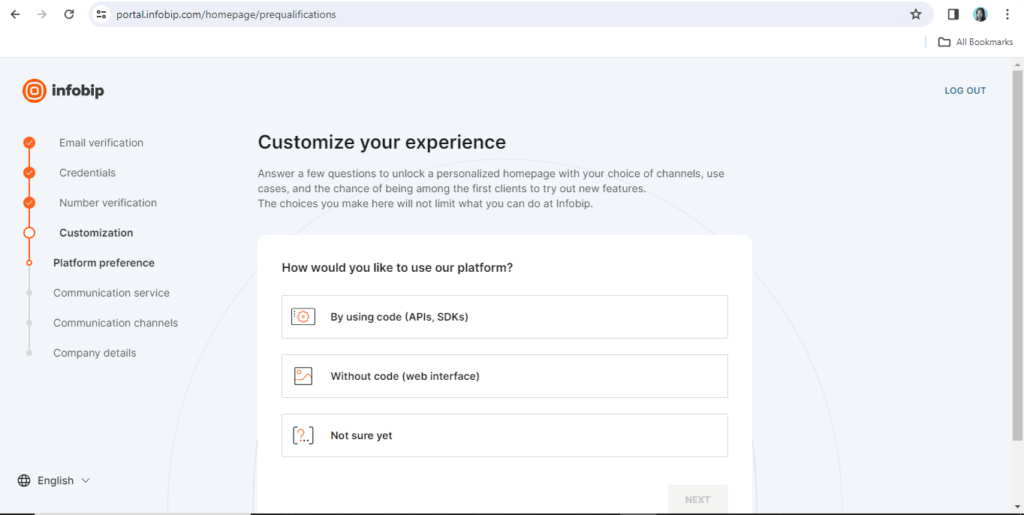
After verification, you can customize your experience on Infobip. First, choose your platform preference:
Step 5
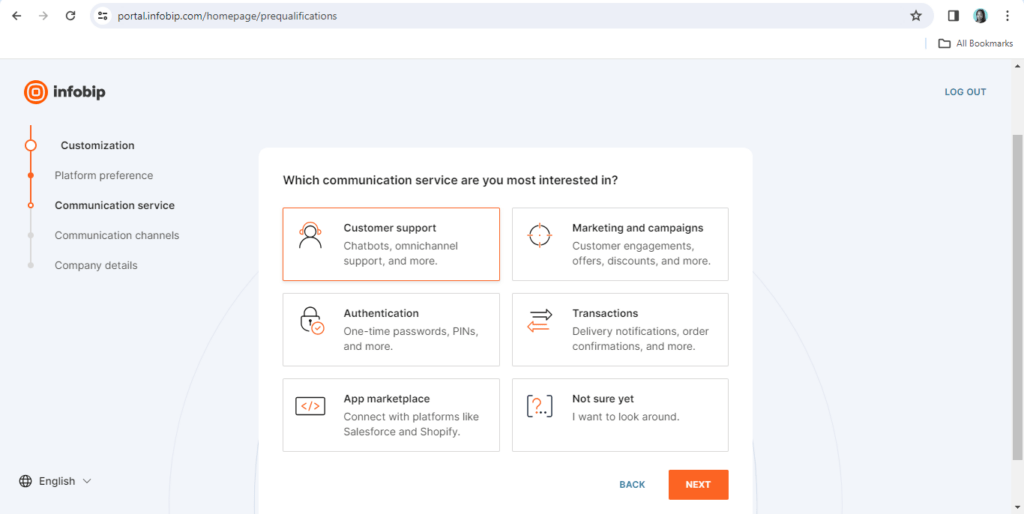
Next, select your preferred communication service:
Step 6
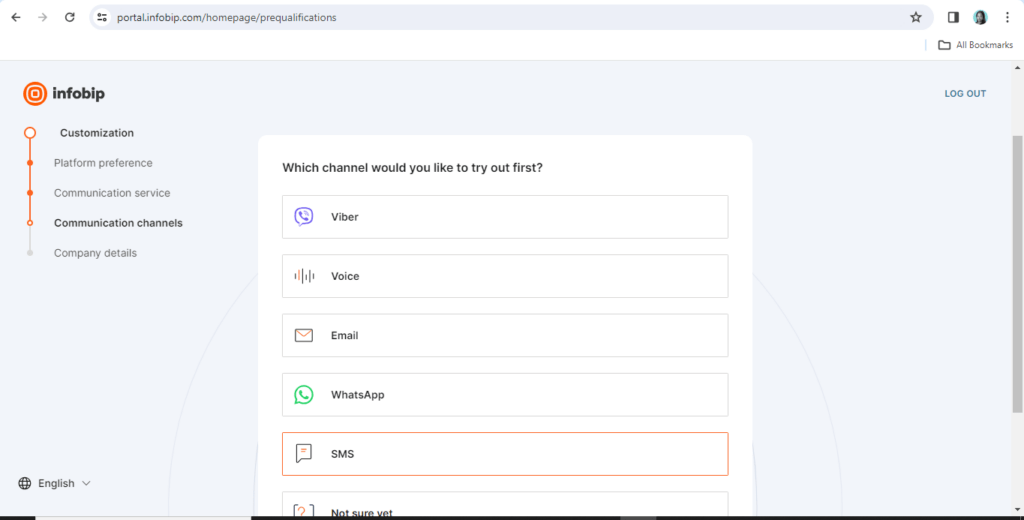
Next, select your preferred communication channel:
Step 7
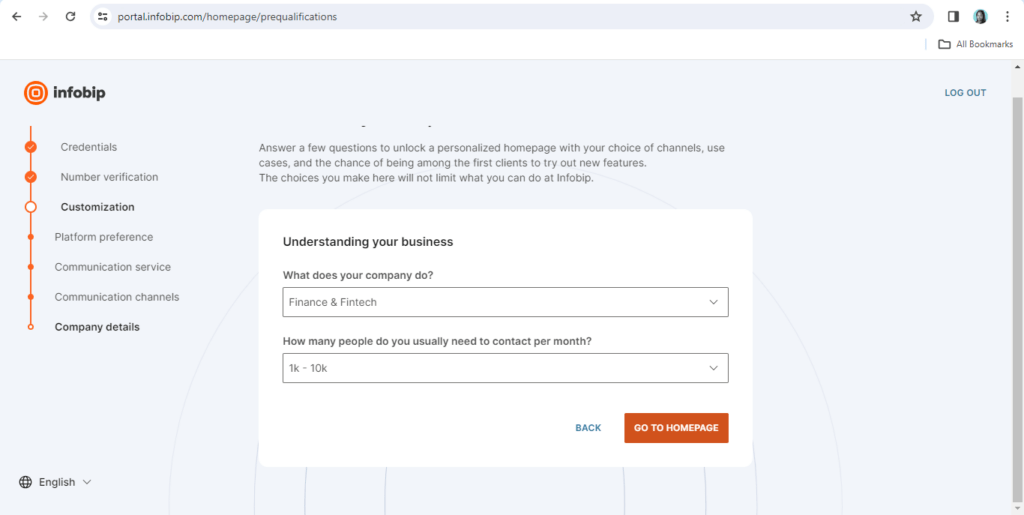
Finally, include your company details:
Step 8
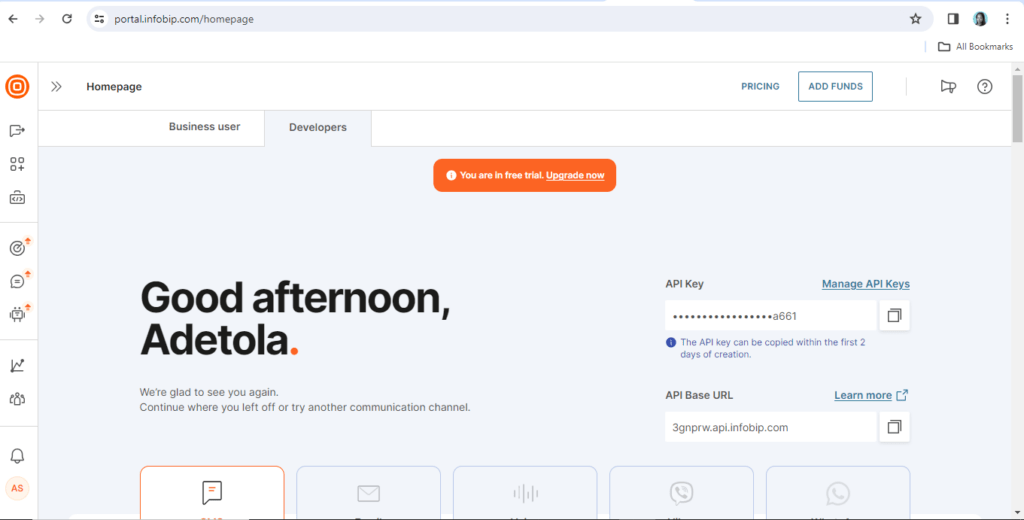
You’re all set up! Copy your API key in the developers section. You’ll need it to configure your Infobip account on Lendsqr.
Send a message for configuration support
Due to the sensitive nature of SMS data, we recommend a personalized approach when configuring your Infobip account on Lendsqr. Please send an email to [email protected], and a support engineer will promptly reach out to set it up for you.
Build a stronger customer communication operation
In short, integrating Infobip with your Lendsqr platform unlocks a new level of SMS communication for your lending business.
You’ll gain control over your branding, ensure reliable message delivery, scale your messaging effortlessly, and even add advanced features like fraud protection and RCS.
Increased engagement and response rates, strengthened customer relationships, extra layer of professionalism that supports your growth as a lender – what’s not to love? Reach out to us at [email protected] if you have any questions.
Obtaining an FCA consumer credit license is a key step for businesses that want to offer loans, credit cards, BNPL, or other consumer credit products in the UK. This guide explains who needs FCA authorization, the application process, eligibility requirements, expected costs, and practical tips to help lenders navigate the licensing process successfully.
If you’re a non-profit or development finance institution (DFI), it should be easier to run a lending program if you're already doing the hard part of reaching people most others won’t.
The end-to-end loan management software that’s rewriting the rules for lenders globally by offering enterprise-grade features without the enterprise-grade costs.
September 30, 2024
Make Better Informed Decisions
Our decision model Oraculi helps you handle all modules required to form the decision model for your lending business, convenient and
easy.